
.mkv
MKV file: what it is and how to open it
An MKV file is a Matroska video: one file that can hold a whole film with several audio languages, subtitle tracks and chapters. Drop one here to play it and turn on its subtitles, if your browser can decode the video inside.
Drop your MKV file here
Opens on this device. Nothing is uploaded. Any other file works too.
What is an MKV file?
MKV is the extension of Matroska, an open video container that Steve Lhomme announced in 2002. It holds any number of video, audio and subtitle tracks, plus chapters and attached files such as fonts and cover art, so a film with every language and subtitle fits in one file. The IETF published Matroska as a standard, RFC 9559, in 2024.
You often meet MKV as films and series copied from DVDs and Blu-ray discs with tools such as MakeMKV and HandBrake. WebM, the web video format Google sponsors, is a restricted Matroska built around VP8, VP9 or AV1 video with Vorbis or Opus sound.
Whether an MKV plays depends on its tracks, not on the name. Windows, Android and VLC read the container, but a film with HEVC video, DTS sound or picture-based subtitles can still fail on a device that lacks those codecs.
What is inside
Matroska is built on EBML, a binary cousin of XML: every element is an ID, a size and its data, so a reader can skip what it does not understand and new features do not break old players. The file opens with an EBML header whose DocType says matroska or webm, followed by one Segment that holds everything else.
Inside the Segment, Tracks describes each stream with its codec and language, Clusters carry the frames in time order, and Cues is the index used for seeking. Chapters, Attachments and Tags are optional. Subtitles are a track like any other, so they can be switched on and off instead of being burned into the picture.
film.mkv1A 45 DF A3 EBML headerDocType matroskaSegment├─ SeekHeadwhere the other parts are├─ Infotitle and duration├─ TracksHEVC video, English and French audio, SRT subtitles├─ Chaptersoptional├─ Attachmentsfonts or cover art, optional├─ Cluster Cluster …the frames, in time order├─ Cuesthe index for seeking└─ TagsoptionalHow to open an MKV file
Windows
- Windows Media PlayerBuilt in. Plays MKV with H.264, VP9 or MPEG-4 video; HEVC and AV1 need Microsoft’s Store extensions.
- VLC media playerFree. Plays MKV with its own decoders and switches audio and subtitle tracks.
- Universal File Opener for WindowsOursPlays MKV through Windows codecs and saves an MP4 copy; HEVC and AV1 tracks need their Store codecs.
Mac
- IINAFree and open source, built on mpv. Shows subtitles and chapters.
- VLC media playerFree. Plays MKV with all its audio and subtitle tracks.
iPhone and iPad
- VLC for iOSFree. Plays MKV with several audio tracks and SSA subtitles; add files from iCloud Drive or by Wi-Fi sharing.
Android
- VLC for AndroidFree, with no ads. Plays MKV with embedded or separate subtitles.
- Universal File OpenerOursPlays MKV with audio and subtitle track choice and speed control, and converts a copy to MP4 with your phone’s codecs.
In a browser
- Universal File OpenerOursDrop the MKV on this page to play it, show its text subtitles or add an SRT file. A track your browser cannot decode is named. Nothing is uploaded.
Won’t open?
The video plays without sound
The soundtrack is often Dolby Digital (AC-3) or DTS. Windows 11 version 24H2 no longer includes an AC-3 decoder, though many PC makers add one. Play it in VLC, or convert the sound to AAC with HandBrake.
A black picture, or an error about HEVC
Windows needs HEVC Video Extensions (US$0.99) for H.265 video and the free AV1 Video Extension for AV1. VLC has its own decoders for both.
A Mac or iPhone will not open it
Apple’s own apps do not play MKV, and Apple points people to other apps for it. Use IINA or VLC, or copy the tracks into an MP4 as shown below.
The subtitles or the right language do not appear
Choose the track in the player’s audio and subtitle menus; VLC lists every track, and so does Universal File Opener on Android. Disc subtitles stored as pictures (PGS) never show in browsers, so load an SRT file there instead.
Convert an MKV file
- To MP4, without re-encodingFFmpeg copies the tracks into an MP4 in seconds with no quality loss, using ffmpeg -i film.mkv -map 0:v -map 0:a -c copy film.mp4 (this works when the video is H.264 and the sound AAC or AC-3).
- To MP4 that plays everywhereIn HandBrake, click Open Source, choose the Fast 1080p30 preset and click Start. In Universal File Opener, search Home for MKV to MP4 on Android, or choose Edit, Save as MP4 on Windows.
MKV files in our apps
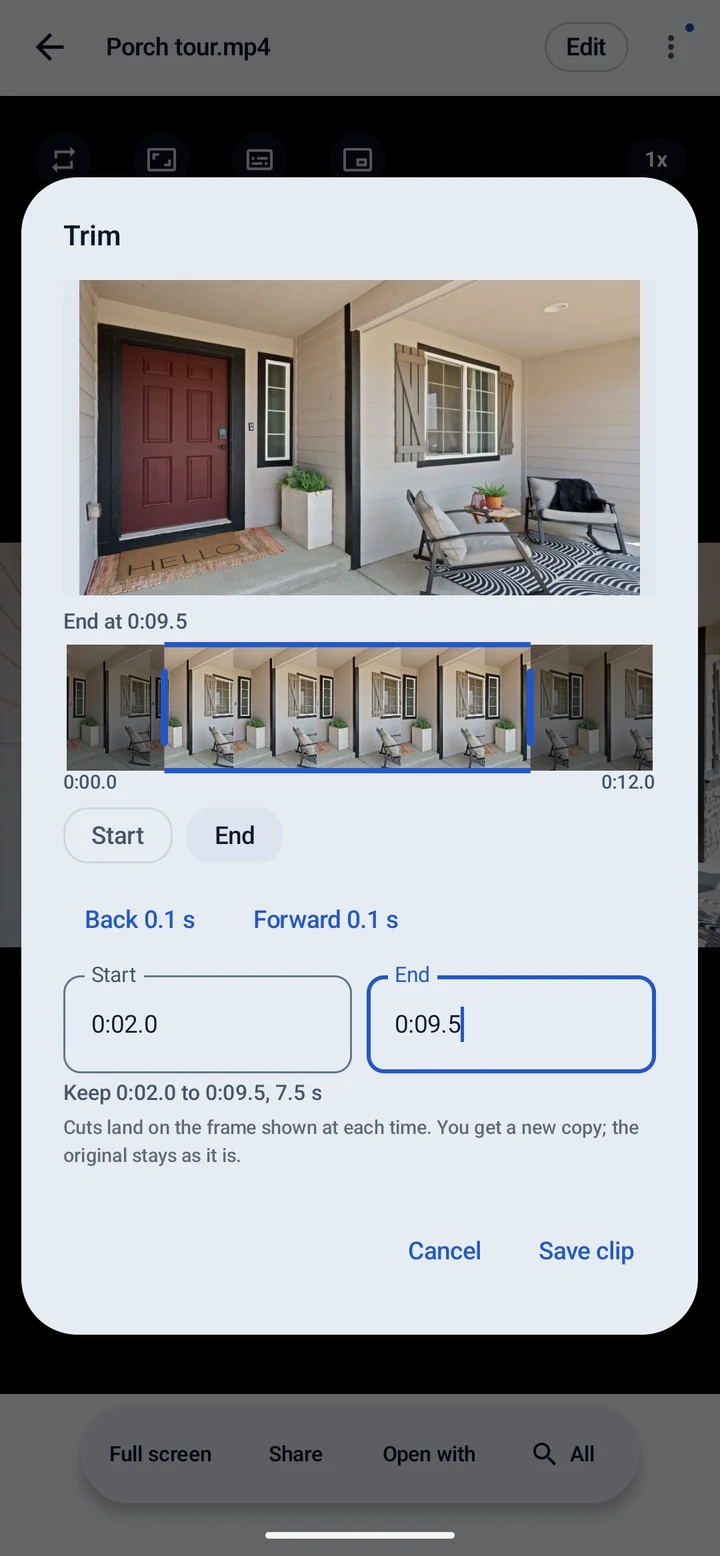
Play MKV with audio and subtitle track choice, an added SRT file and speed control, then convert a copy to MP4, trim, join, extract the audio or save a frame, when your device can decode the tracks.


All Android tools and limits for MKV files
- Choose the subtitle and audio track in files that carry several.
- Playback speed control from 1/16x to 16x, repeat, aspect-ratio control, fullscreen.
- Repeat a section during playback: set A and B more than half a second apart. The loop lasts for the current session.
- Export a silent GIF with Pro. Choose 5, 10 or 15 fps and a longest side of 240, 320 or 480 px. Exports are limited to 256 frames and 32 million pixels in total.
- MKV to MP4: re-encode a copy to H.264 and AAC with your device codecs, free. Trim, cut and join also save a new MP4.
- Extract the audio as M4A, save a silent copy, or save the current frame as JPG.
- Resume position across sessions.
Limits
- Playback depends on the device’s codecs. Some MKV files carry video the hardware cannot decode, and the app names the codec it cannot play.
- Conversion and video edits depend on the codecs your device can decode and encode. Audio extraction needs a track compatible with M4A output.
Walkthrough: Edit video and audio on Android