
.py.js.ts.java.kt.c.cpp.rs
Source code files: what they are and how to open them
A code file is a program’s source written as plain text, and its extension names the language: .py for Python, .js for JavaScript, .c for C. Drop one here to read it in color without running it.
Drop your source code file here
Opens on this device. Nothing is uploaded. Any other file works too.
What is a source code file?
Source code is what programmers write: instructions in a programming language, saved as ordinary text. The extension tells editors which colors to use and tells the system which program would run it: .py is Python, .js JavaScript, .ts TypeScript, .java and .kt Java and Kotlin, .c and .cpp C and C++, .rs Rust, .go Go, .rb Ruby, .php PHP, .sh a shell script, .sql database queries and .css web page styles.
You meet code files in downloads from GitHub, in a course or a tutorial, or attached by a colleague. No special app is needed to read one: every text editor shows it, and a code editor adds colors and line numbers. Reading code never runs it.
Running it is another matter. On Windows, double-clicking a .js file runs it with Windows Script Host, and once Python is installed a .py file runs the same way, with your permissions. Open code you did not write in an editor, never with a double-click, and read it before you run it.
What is inside
A code file is plain text, normally UTF-8; Python, for one, reads UTF-8 unless the file says otherwise. Each line ends with an invisible line feed (LF) on Mac and Linux, or a carriage return and line feed (CRLF) on Windows. Most tools accept either, but a script’s first line, which can name the program that runs it, may need the LF form.
Some languages give whitespace meaning: Python groups lines by indentation, and a file that mixes tabs and spaces can stop with a TabError. Code can also contain characters you cannot see. Direction-changing Unicode characters can make code display in a different order from the one it runs in; researchers named this Trojan Source (CVE-2021-42574), and good editors now mark such characters.
#!/usr/bin/env python3on Mac and Linux: the program that runs it# List the photos in this foldera comment, skipped when it runsimport osfor name in os.listdir("."):····if name.endswith(".jpg"):four spaces: inside the loop········print(name)eight spaces: inside the ifHow to open a source code file
Windows
- NotepadBuilt in. Right-click the file and choose Open with, Notepad. Use this route for .js files, which a double-click would run.
- Visual Studio CodeFree. Colors most of these languages. Folders you have not trusted open in Restricted Mode, which blocks tasks, debugging and most extensions.
- Universal File Opener for WindowsOursReads code with syntax colors and edits it with find and replace, undo and a history of versions kept on the PC. It never runs the code.
Mac
- Visual Studio CodeFree. Colors, line numbers and Restricted Mode for code you have not trusted yet.
- TextEditBuilt in. Opens code as plain text. Keep new files in plain text with the Format menu, so quotes stay straight.
iPhone and iPad
- FilesBuilt in. Tap a file such as .py, .js or .c for a Quick Look preview of its text.
Android
- Universal File OpenerOursReads and edits code offline with syntax colors, find and replace, go to line, line tools and undo. Nothing runs, and other text files open as plain text.
In a browser
- Visual Studio Code for the WebFree at vscode.dev. Opens single files in a browser, and whole folders in Edge or Chrome. It cannot run code: there is no terminal or debugger.
- Universal File OpenerOursDrop files on this page to read them in color, search them and reveal hidden or direction-changing characters. Nothing is uploaded.
Won’t open?
Double-clicking a .js file shows a Windows Script Host error
Windows tried to run it as a script instead of opening it. Right-click the file, choose Open with and pick Notepad or a code editor. Do not run scripts you did not expect to receive.
Windows asks how you want to open the file
Windows has no app for that language yet. Choose Notepad or Visual Studio Code and select Always to keep the choice. Do not pick a program that would run the file.
Python stops with TabError or IndentationError
The file mixes tabs and spaces. In VS Code, click the indentation setting in the status bar, convert the indentation to spaces, then save.
A script fails on Mac or Linux after editing on Windows
Windows line endings (CRLF) can break the script’s first line. In VS Code, click CRLF in the status bar and choose LF, or run Change End of Line Sequence, then save.
The code looks harmless but behaves differently
Invisible or direction-changing characters can reorder what you see. VS Code highlights them, and on this page Reveal hidden shows them. Remove any you did not type before you run the code.
Convert a source code file
- To PDF, for printing or reviewIn our Android app, choose Print, then Save as PDF, or export a monospace PDF.
- To UTF-8In VS Code, click the encoding in the status bar, choose to save with a different encoding and pick UTF-8.
Source code files in our apps
Read and edit source code offline in UFO on Android and Windows, with syntax colors, find and replace, line tools and undo. Saving text and code is free. Neither app runs the code.


All Android tools and limits for source code files
- Syntax highlighting for Kotlin, Java, Python, JavaScript, TypeScript, C/C++, Rust, Go, Swift, Ruby, PHP, Shell, SQL, CSS, JSON, YAML, TOML, XML, and Markdown.
- Editor tools: find/replace with "n of m" match count, go-to-line, duplicate/delete/move lines, change case, sort and join lines, trim trailing spaces, toggle line comments per language, touch-friendly block indent/outdent.
- Undo/redo with keyboard shortcuts (Ctrl+Z / Ctrl+Y) that survive saves; a live line/column status bar.
- Diff and patch files (.diff/.patch) open with their own structured rendering.
- Print or export as a monospace PDF; share; use Open as for compatible text files with an unfamiliar extension.
Limits
- Code execution, compilation, debugging and language-server features are unavailable.
- Extensions without a dedicated grammar still open as plain editable text.
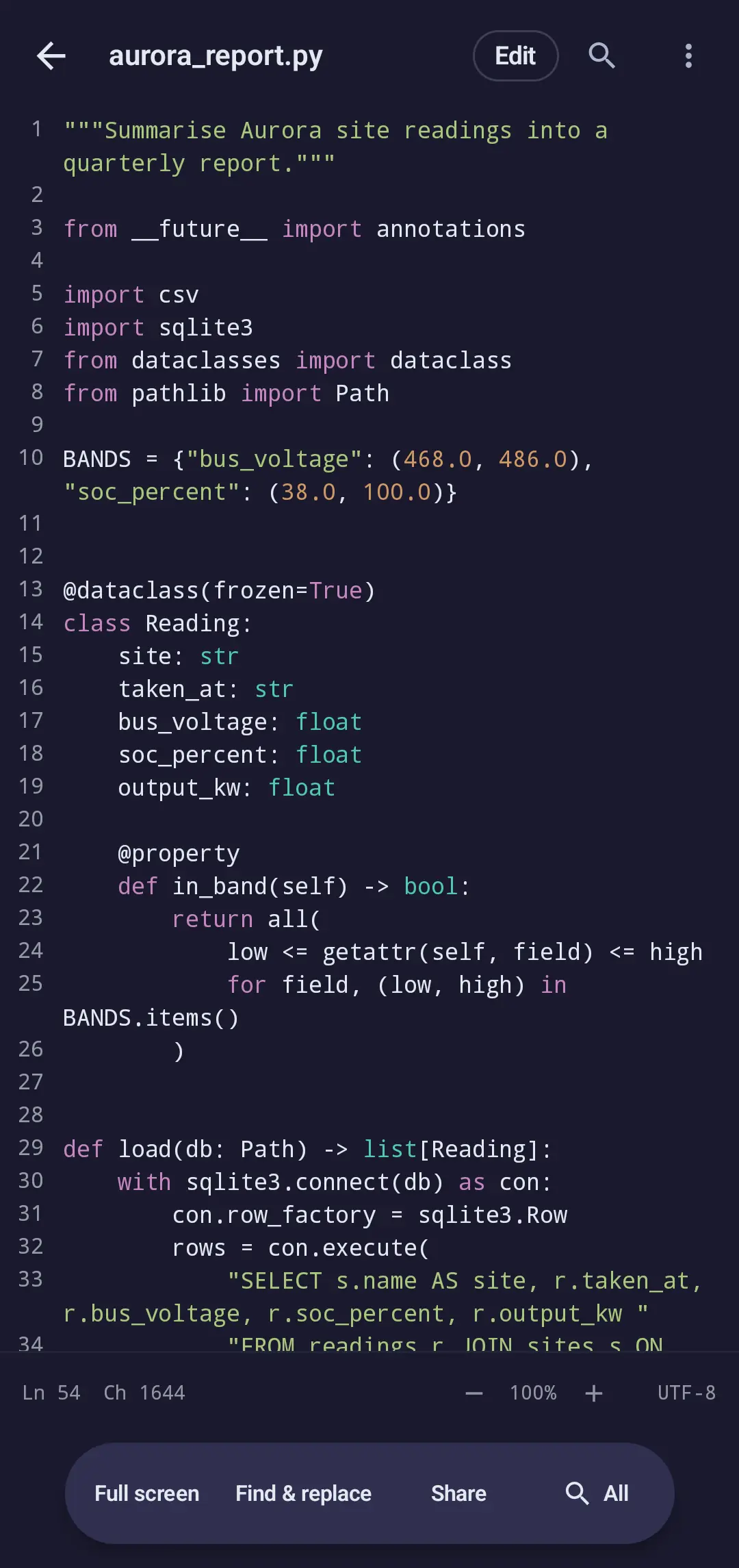
Walkthrough: Edit text, code and data on Android